OdinLake 02 (Ergo MAX 747) Ergonomic Office Chair Setup Review
The Most Comfortable Ergonomic Office Chair In The World? Full Review, Setup & How to Sit Pain-Free
Sitting for hours shouldn’t feel like a slow-motion injury.
If you’re shopping for a mesh ergonomic office chair with real support, including footrest, headrest, and lumbar support, today’s Live Lean TV episode is your spine’s new best friend.
Let’s break down what makes a chair truly ergonomic, how to sit pain-free, and why your current seat might be ruining your back.
To be respectful of your time, I’ve included jump links to each section in the table of contents below.
Advertisement
Table Of Contents: Jump To Links
- Ergonomic Meaning: What Classifies A Chair As Ergonomic?
- How To Sit Properly In An Office Chair To Avoid Knee And Lower Back Pain
- Best Ergonomic Mesh Office Chair With Footrest, Headrest, and Lumbar Support
- OdinLake 02 (Ergo Max 747) Ergonomic Office Chair Review
- OdinLake 02 (Ergo MAX 747) Ergonomic Chair Assembly, Set Up, And Installation
- Are Ergonomic Office Chairs Worth It?
- Ergonomic Chair vs Gaming Chair
Ergonomic Meaning: What Classifies A Chair As Ergonomic?
If your office chair is slowly turning you into the Hunchback of Zoom calls, it’s NOT ergonomic.
So what makes a chair ergonomic?
“Ergonomic” just means your body won’t hate you for sitting.
It’s a chair that adjusts to you, not the other way around.
Here’s the checklist to follow when searching for an ergonomic chair.
An ergonomic chair provides:
- Lumbar support for your lower back
- Adjustable height and depth
- Armrests that move with you
- Headrest, recline, breathable mesh, footrest for bonus comfort
If your chair doesn’t do these things, it’s not ergonomic, it’s just rude.
How To Sit Properly In An Office Chair To Avoid Knee And Lower Back Pain
Feel like your chair is aging you in fast-forward?
Let’s fix that.
Here’s how to sit to avoid knee and back pain:
- Sit all the way back rather than hovering like you’re about to leave.
- Your lower back should be supported by lumbar padding, not thin air.
- Keep knees at 90° with your feet flat on the floor.
- For chair height, your hips should be level with or slightly above knees to take pressure off your lower back and knees.
Adjust your setup like you’re proud of your spine.
Best Ergonomic Mesh Office Chair With Footrest, Headrest, and Lumbar Support
Still sitting in that uncomfortable, sweaty office chair from 2009?
Here’s what chiropractors recommend you look for in ergonomic office chairs to avoid lower back pain:
- Mesh back and seat: Breathes better than most people during cardio.
- Adjustable armrests: To keep shoulders relaxed to reduce neck tension.
- Lumbar support: Keeps your back from folding like a lawn chair.
- Headrest and footrest: For neck support and lower body relaxation.
- Recline and tilt options: Because being still for 8 hours is unnatural.
- Seat Height And Depth Adjustment: So your knees stay at 90° and feet flat on the floor.
Want an ergonomic office chair option that that checks all these boxes?
The Odinlake 02 (Ergo Max 747) Ergonomic Chair has everything chiropractors recommend for less pain, more comfort, and less chiropractor visits.
OdinLake 02 (Ergo Max 747) Ergonomic Office Chair Review
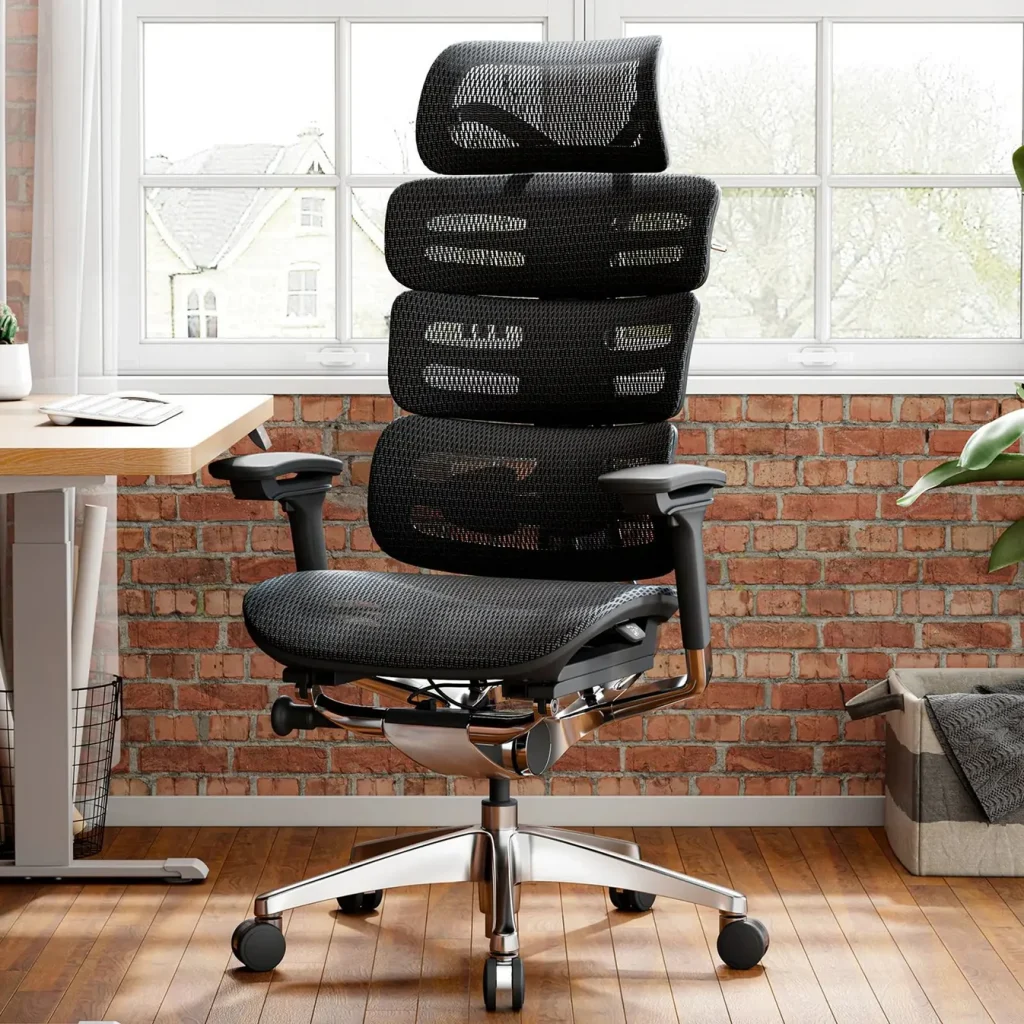
If your chair feels like medieval punishment, meet the OdinLake O2 (Ergo Max 747), the ergonomic office chair your spine’s been begging for.
Check out these top features:
- WireControl Mechanism: Push a button and tilt like a boss.
- 3-Section Split Backrest: This feels like a 3-point hug for your spine.
- 135° Recline + Lock: Work mode to “I’m done” mode in seconds.
- 4D Armrests + Silent Wheels: Smooth, quiet, comfy.
- 2D Headrest + Optional Footrest: Treat your neck and legs.
- Optional Footrest Addition: To stretch out and pretend you’re flying first class, even if you’re just answering emails in your underwear.
- Dual-Frame Design: Sturdy and stable like a tank.
- 15-Year Warranty: This is a longer commitment than most gym memberships.
- Great For Short And Tall People: It’s designed for people between 5’3″ – 6’3″, with a weight capacity up to 350 lbs.
This is an ergonomic lifestyle upgrade, not just a chair.
OdinLake 02 (Ergo MAX 747) Ergonomic Office Chair Discount Code:
- Discount Link: https://www.liveleantv.com/ergochair
- Coupon code: LiveLeanTV
OdinLake 02 (Ergo MAX 747) Ergonomic Chair Assembly, Set Up, And Installation
Assembling an ergonomic chair may sound tough.
But not when it comes to the set up of the OdinLake 02 (Ergo MAX 747).
If you’ve ever built anything with more than two screws, you’re overqualified.
Assembly takes 15–20 minutes, by yourself, using the provided allenwrench:
- Pop in wheels, attach seat, bolt the back, attach armrests, place the seat, done.
- One person, no swearing required.
No stress, no swearing, just back support bliss.
Are Ergonomic Office Chairs Worth It?
How much should you spend on an ergonomic chair?
Well, if you paid $49.99 for that wobbly disaster you’re sitting in, your back’s already filing for divorce.
Advertisement
Cheap chairs cause pain.
Good chairs prevent it.
If you’re sitting 6+ hours a day, how much is your spine worth to you?
Aiming for something in the $300–$900 range, is where real ergonomic support lives.
The OdinLake O2 (Ergo MAX 747) sits in the sweet spot, premium features for under $1000.
Use discount code: LiveLeanTV
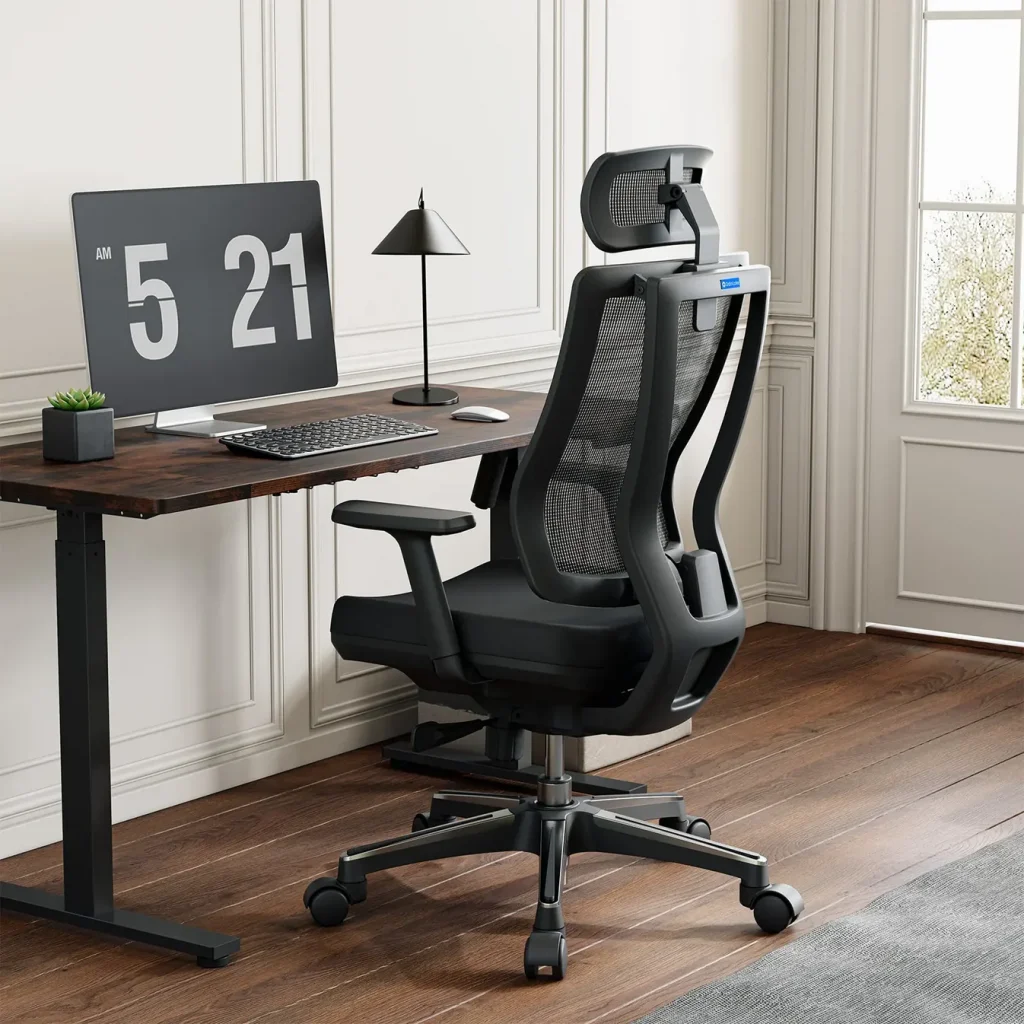
If your budget is under $400, go with the OdinLake L2 (Ergo PRO 633) Ergonomic Office Chair with built-in Footrest.
Spending a little more upfront equals fewer chiropractor visits later.
Ergonomic Chair vs Gaming Chair
Ergonomic chair vs. gaming chair, what’s the difference?
Gaming chairs equals look cool.
Ergonomic chairs equals feel great.
Gaming chairs are designed for aesthetics.
Ergonomic chairs are designed for your actual spine.
One says “Bro, this looks sick.”
The other says, “Bro, you’re not broken after sitting for 8 hours.”
Want the best of both worlds?
The OdinLake 02 (Ergo MAX 747) Ergonomic Chair is the move.
Use discount code: LiveLeanTV.
Official Website: https://www.odinlake.com/
Question Of The Day
Drop a comment and tell me:
- Do you use an ergonomic chair?
- If so, what are your favorite features?
Smash that like button and subscribe to my YouTube channel so you don’t miss the next one.
We’re on a mission to transform 1,000,000 lives, and I want you on the team.
To continue your transformation, go check out this video post next where I review the OdinLake Standing Desk S450 and share the pros and cons of standing vs sitting while working.
Thanks for watching and keep Living Lean.
BROWSE MORE EXERCISES TO LIVE LEAN!

Brad Gouthro is the founder of Live Lean TV, a media company focused on helping men and women “Live Lean” 365 days a year. Brad’s programs and content have helped millions of people all over the world learn how to get in shape, and more importantly, sustain it for life.